CS2000 TA Training Course
Welcome to the CS2000 TA training program! This is a 10-hour asynchronous course designed to prepare you for TA'ing for CS2000.
This is a new course, with an entirely new assessment system, so its important that not only do you understand the material, but how the concrete Skills play into the assessment.
Work through each section at your own pace.
Skill System Review 1 hour
CS2000 is organized around, and assessment is based on, a set of 12 Skills, which are described in detail at the Skills page on the public course website.
Each time a student does a skill assessment (on paper, without notes -- these are problems that should be able to be completed in 10-20mins), it will be graded as one of:
- "Doesn't meet expectations"
- "Approaching expectations"
- "Meets expectations"
There are no quizzes or exams in this class. Instead, the grade is based primarily on the Skills, secondarily on Homework and Lab participation. View the grading table at Syllabus to understand how the Skills fit into the grading.
Task: Read Skills and the section on grading at Syllabus, and review how the system works. Students will ask you not only about the Skills, but also about the assessment system, and you should be able to explain it correctly.
Programming Exercises 5 hours
Follow the setup instructions at Day 2 of the public course website to create a scratch repository on Github and set up the online editor for Pyret.
Spend around 30 minutes working through exercises on each skill topic, ensuring you understand the concepts and can do the sample problems. This also serves as the time to learn Pyret (use the Cheatsheets linked in the navigation bar above for reference), the language that we will be using for the the first nine weeks of the course, and learn/review Python, the language we will use for the last five weeks of the class.
Task: Go through Skills Exercises, doing the included exercises, and the Skills Reference as your reference guide.
Ethics Training 30 minutes
Watch the video describing the integrated ethics approach used in CS2000. This covers the philosophical foundation of how we incorporate ethical thinking into computer science education. These make up the last two skills students willl be learning.
Read the lecture notes from the public course on ethics at this page.
Review the Skills Reference for the last two skills (which do NOT have exercises).
Learning How to Teach 2 hours
Read through the scenarios at this page. Note that these were written for a different course, and one that has a different AI policy (our recommendation, for CS2000, is that students do not use LLMs at all, so if they mention they have, please suggest they do not).
Read this page (which was linked at the bottom of the above). In addition to the questions there, the first one you should often ask is: "What step of the design recipe are you on?"
Task: Identify a point in one of the scenarios where you think you would have done something differently initially, and reflect on whether the suggestion in the scenario is something you could have done.
Grading Intro 1 hour
Task: Please read the documentation for how students will be using Pawtograder: https://docs.pawtograder.com/students/intro
Task: Please read the documentation for how TAs will be using Pawtograder: https://docs.pawtograder.com/staff/intro
For CS2000 specifically, we will be using a separate app for just grading the skills assessments. The workflow for it will be similar to Gradescope -- assessments will be uploaded by instructors, and then graders will be able to grade them one after another. A few screenshots that capture this are here:
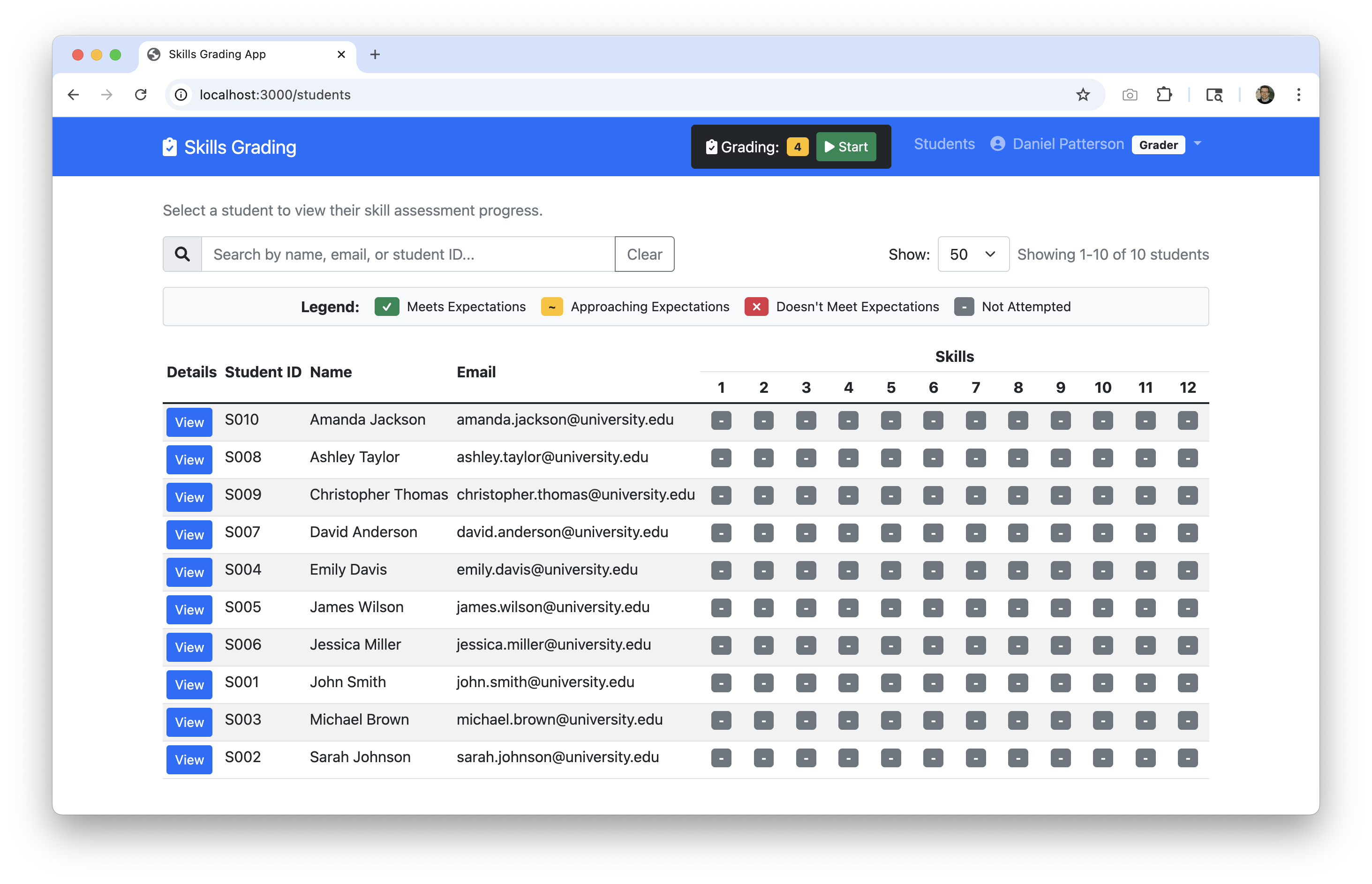
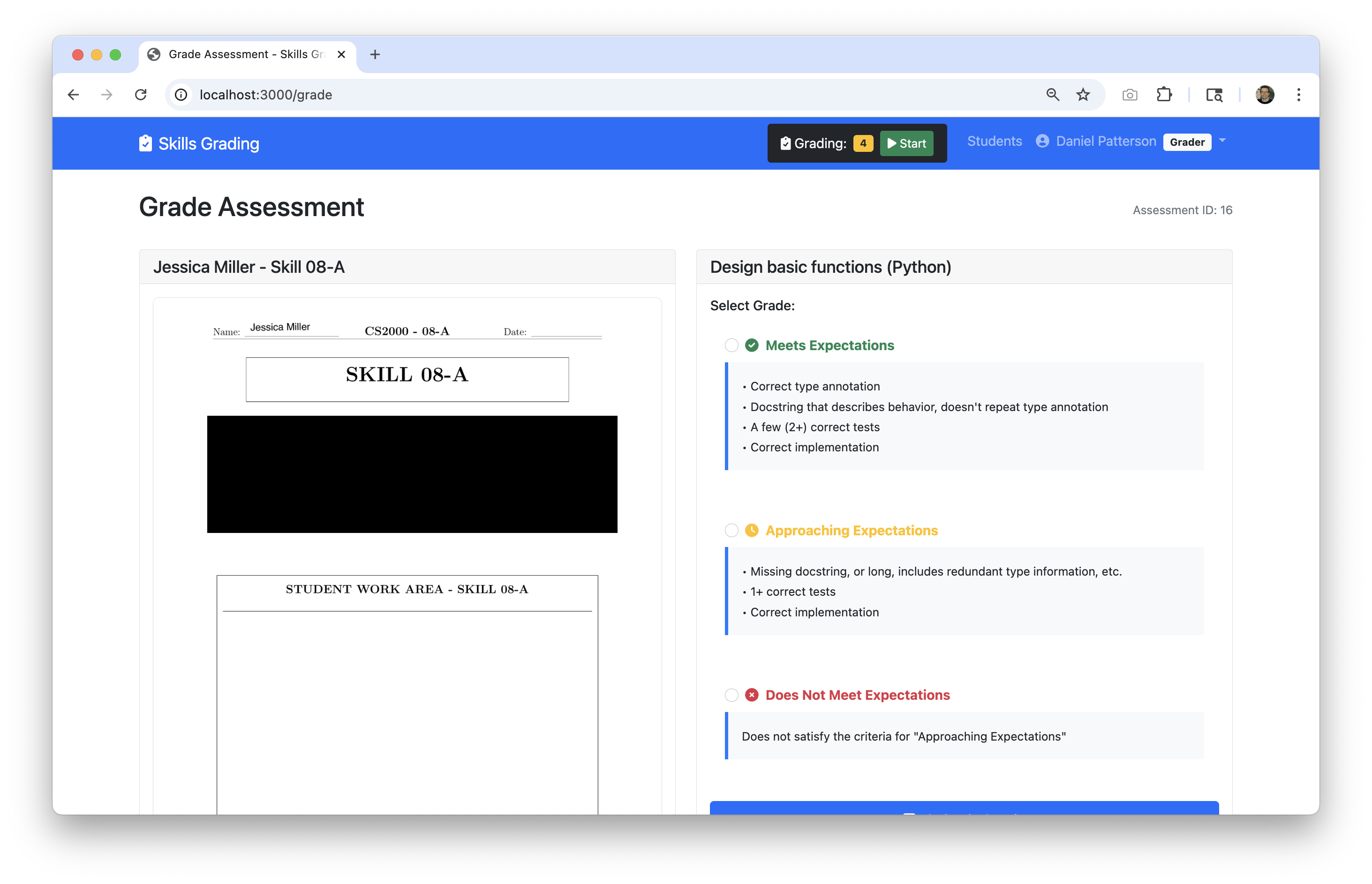
Click images to view full size
This will only be used by TAs and instructors; grades will then be pushed into Pawtograder for students to view.Reference Materials Review 1 hour
Familiarize yourself with the Textbook (DCIC) and Pyret documentation. These will be essential resources when helping students with their assignments.
Task: Identify two functions that are new to you, and not mentioned in the exercises or skills reference!
Ready to Begin?
Start with the Skills Practice section and work through each component systematically. Remember, this is self-paced learning—take the time you need to fully understand each concept.